Getting Started in Graveyard Orbit
Learn the mine → extract → rebuild loop before you tackle layered megastructures.
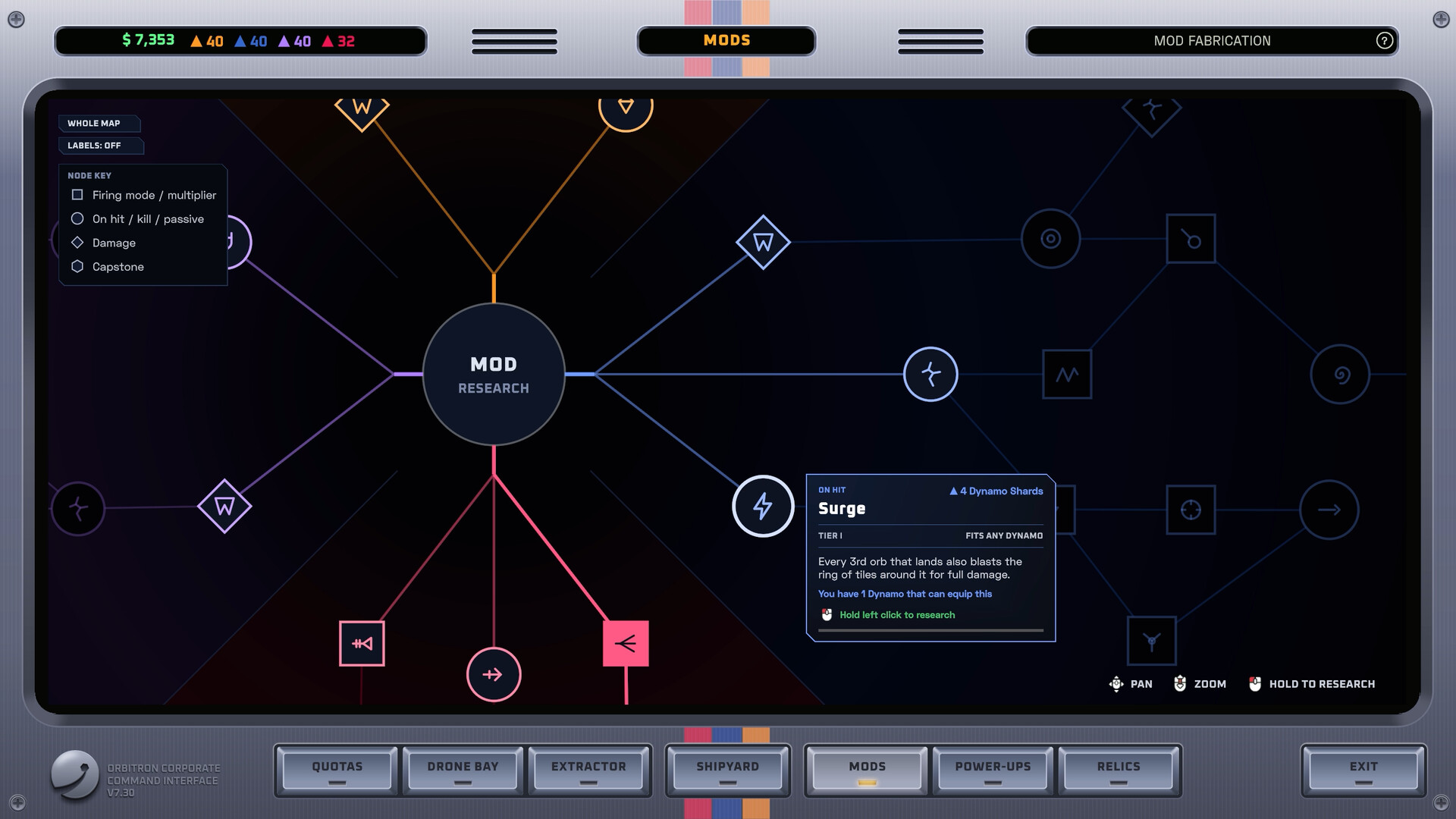
Graveyard Orbit drops you into Orbitron Corporation cleanup duty with a small salvage ship, a cheerful PR bot named SUNNY, and a sky full of wrecks. This beginner guide covers your first hour on Steam: how a mining run works, how the Extractor turns ore into cash, what to buy in the shipyard, and how to avoid common early mistakes. When you need deeper systems later, continue with Ship Building, Relics and Mods, and Overtime Mode.
What you are doing
Each contract asks you to strip a wreck or megastructure tile by tile. You aim weapon hardpoints, break hull and ore, fill cargo, then return to cash the haul. Early structures are manageable; later ones climb toward tens or hundreds of thousands of tiles with sealed cores and hazards. Your job is not speedrunning a boss bar — it is methodical demolition until nothing remains.
The fantasy is relaxing but deliberate. Placement on the ship grid decides firing arcs and range. Power and weight budgets punish greedy walls of guns. Colored ore pays better when you match the right weapon tree (for example gold with lasers, blue with dynamo-oriented tools), while plain ore yields to anything. Learn that matching rule early and your Extractor totals climb faster without reinventing the whole build every run.
First session checklist
- Finish the tutorial prompts and confirm mouse or controller feel — full controller support is available if you prefer a pad.
- Clear a small wreck completely instead of abandoning half-mined shells.
- Empty cargo into the Extractor and watch how processing choices affect payout.
- Buy one meaningful shipyard upgrade (power, cargo, or a department unlock) instead of spreading cash thin.
- Note which weapon tree you unlocked and park those parts where arcs cover your approach path.
- Re-enter the next contract with a short mental plan: outer shell → hazard pockets → sealed core.
Mining without thrashing
Approach from an angle that lets several hardpoints see the same face. Sweep edges so debris does not trap you against unbreakable geometry. When colored ore appears, swap focus to matching weapons if you have them; otherwise keep stripping plain tiles so cargo never sits idle. If weapons brown out, you likely overbuilt damage relative to power — see Ship Building for balance.
Do not chase every shiny tile at the cost of cargo trips. A full hold cashed through a tuned Extractor beats a chaotic orbit with constant overflow. Early conveyor and factory belt upgrades in the shipyard multiply the value of ordinary ore; prioritize them when your guns already clear soft hull quickly.
Meet SUNNY and Orbitron
SUNNY is Orbitron Corp’s PR companion — tone-setting, tutorial-friendly, and always nearby as you learn the cleanup pitch. Treat the corporation framing as flavor around a pure single-player incremental: there is no guild, no trade chat, and no redeem-code economy. Your only meta progression is research, parts, relics, and the knowledge of how structures layer.
Money loop: Extractor first
After a haul, squeeze value in the Extractor before you impulse-buy every department node. Early cash should answer one question: what bottleneck stopped the last run? If you flew home constantly, buy cargo or belts. If beams flickered, buy power. If you could not reach recessed tiles, unlock the weapon department that covers that arc. The Extractor Guide expands ore value and belt thinking once you outgrow this primer.
Shipyard priorities for beginners
- Power before a second full gun wall.
- Cargo before exotic relics you do not understand.
- Hull when hazards start punishing greedy angles.
- Departments that unlock the weapon tree matching the ore colors you see most.
- Conveyor / factory belts when mining speed exceeds processing speed.
Resist decorating the grid with parts that have no firing line. A laser that never sees the wreck is dead weight. Symmetry looks nice; coverage clears contracts.
Controls and comfort
Bind movement, aim, and fire so you can circle a structure without fighting the UI. If you use a controller, confirm aim assist and camera speed in the options. Accessibility and binding detail live on the Controls page. Graveyard Orbit is a chill incremental — set volume, disable distractions, and treat long strips as focused sessions rather than twitch duels.
Demo versus full game
A free demo (Steam app 4821730) exists if you want the loop before buying. The full game (app 4654120) launches the campaign plus Overtime Mode, research depth, and the full climb toward quarter-million-tile monsters. Introductory pricing has hovered near $2.99 against a $4.99 list — confirm the live Steam page before you buy.
What to read next
- Optimize hardpoints and belts in Ship Building.
- Rank Lasers, Cannons, Pulse, Drones, Contact, and Gravitron on the Weapons Tier List Hub.
- Plan post-campaign stars in Overtime Mode.
- Check launch notes on the Updates Hub and official pages under Official Links.
Clear your first wrecks completely, cash every hold, and upgrade the bottleneck that actually slowed you down. That habit carries you from tutorial debris to megastructure cores.
Frequently Asked Questions
Quick answers to common Graveyard Orbit questions.
Is Graveyard Orbit multiplayer?
No. It is a single-player Steam PC game from Anchorhead Games with no online multiplayer and no redeem-code systems.
What should I buy first in the shipyard?
Fix your last bottleneck: power if weapons brown out, cargo or belts if you fly home too often, or the department that unlocks weapons matching common colored ore.
Do colored ores matter early?
Yes. Matching weapons to colored ore improves value; plain ore can be broken with any tree, so keep stripping even before perfect matches.
Who is SUNNY?
SUNNY is Orbitron Corporation’s PR bot companion who accompanies your cleanup work and frames the campaign fantasy.
Is there a demo?
Yes. Steam lists a Graveyard Orbit demo under app 4821730 so you can try the mining and shipyard loop before purchasing the full game.